7ed3c5bad4
* feat(FlightTaskAuto): add RC yaw override during Auto modes

* feat(FlightTaskAuto): disengage RC yaw nudge on flight-mode switch

* docs: document MPC_AUTO_RC_YAW in MC Auto mode pages

Describe the RC yaw nudge (MPC_AUTO_RC_YAW) on the Mission page.
Add parameter rows to the Hold and Land pages where MPC_LAND_RC_HELP takes
precedence over it for yaw, and document MPC_LAND_RC_HELP there too.

* feat(FlightTaskAuto): updated param description to warn against COM_RC_OVERRIDE disabled

The long description recommends to have a switch on the RC to change to Position mode

* fix(FlightTaskAuto): unified yaw nudging with new MPC_AUTO_NUDGING parameter

* docs(FlightTaskAuto): MPC_AUTO_RC_YAW and MPC_LAND_RC_HELP parameters were replaced by the unified MPC_AUTO_NUDGING bitmask

* fix(parameters): migrate MPC_LAND_RC_HELP to MPC_AUTO_NUDGING bit 1

* docs(1.18): move stick override and add nudging changes

---------

Co-authored-by: Matthias Grob <maetugr@gmail.com>
5.9 KiB
Offboard Control
::: warning Offboard control is dangerous. It is the responsibility of the developer to ensure adequate preparation, testing and safety precautions are taken before offboard flights. :::
The idea behind off-board control is to be able to control the PX4 flight stack using software running outside of the autopilot. This is done through the MAVLink protocol, specifically the SET_POSITION_TARGET_LOCAL_NED and the SET_ATTITUDE_TARGET messages.
Offboard Control Firmware Setup
There are two things you want to setup on the firmware side before starting offboard development.
Enable Stick Override
In QGroundControl the MAN_OVERRIDE_SPD parameter controls automatically switching from offboard (or autonomous) mode to Position mode when the remote sticks are moved. This is enabled by default; set it to -1 to disable. This is the best way to ensure that an operator can easily take control of the vehicle and switch to the safest flight mode.
Map an RC switch to offboard mode activation
In QGroundControl you can set the RC_MAP_OFFB_SW parameter to the RC channel that will be used to activate offboard mode. This can be used to switch between offboard mode and the mode set by the mode switch (RC_MAP_MODE_SW). You can also switch into offboard mode using a GCS/MAVLink so this is not "mandatory".
Note also that this mechanism is not as "safe" as using stick Override to switch out of offboard mode, because the mode you switch to is unpredictable.
Enable the companion computer interface
Enable MAVLink on the serial port that you connect to the companion computer (see Companion Computers).
Hardware setup
Usually, there are three ways of setting up offboard communication.
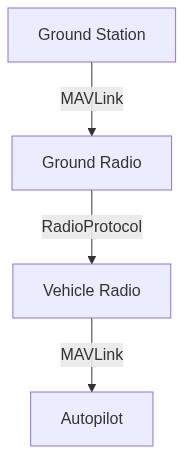
Serial radios
-
One connected to a UART port of the autopilot
-
One connected to a ground station computer
Example radios include:
On-board processor
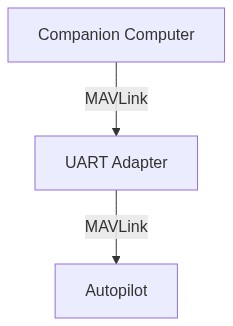
A small computer mounted onto the vehicle, connected to the autopilot through a serial port or Ethernet port. There are many possibilities here and it will depend on what kind of additional on-board processing you want to do in addition to sending commands to the autopilot. Some examples are provided in Companion Computers.
On-board processor and wifi link to ROS (Recommended)
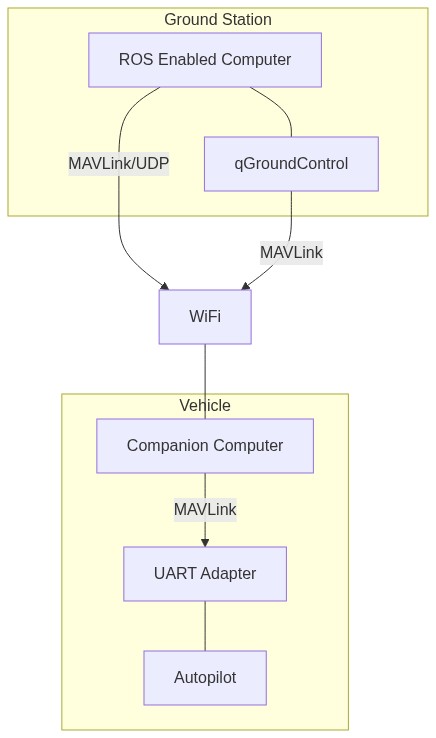
A small computer mounted onto the vehicle connected to the autopilot through a UART to USB adapter while also having a WiFi link to a ground station running ROS. This can be any of the computers from the above section coupled with a WiFi adapter.